.svg)
Give customers a discount on the spot — no coupon code needed

Written by
Aksh G
.svg)
Picture this: a customer walks into your business. They remember a deal you mentioned in a local neighborhood newsletter last month — 20% off a first class. You want to honor it. Of course you do. But you never actually created a coupon code for it. So now, while they're standing at your front desk, you have to stop, go into Occasion, create a coupon, come back to Quick Order, and apply it. The whole thing takes three minutes. They're just standing there.
And if the order was already placed? Even worse. Your only option was issuing a manual refund — which made it look like something went wrong, not that you did something nice.
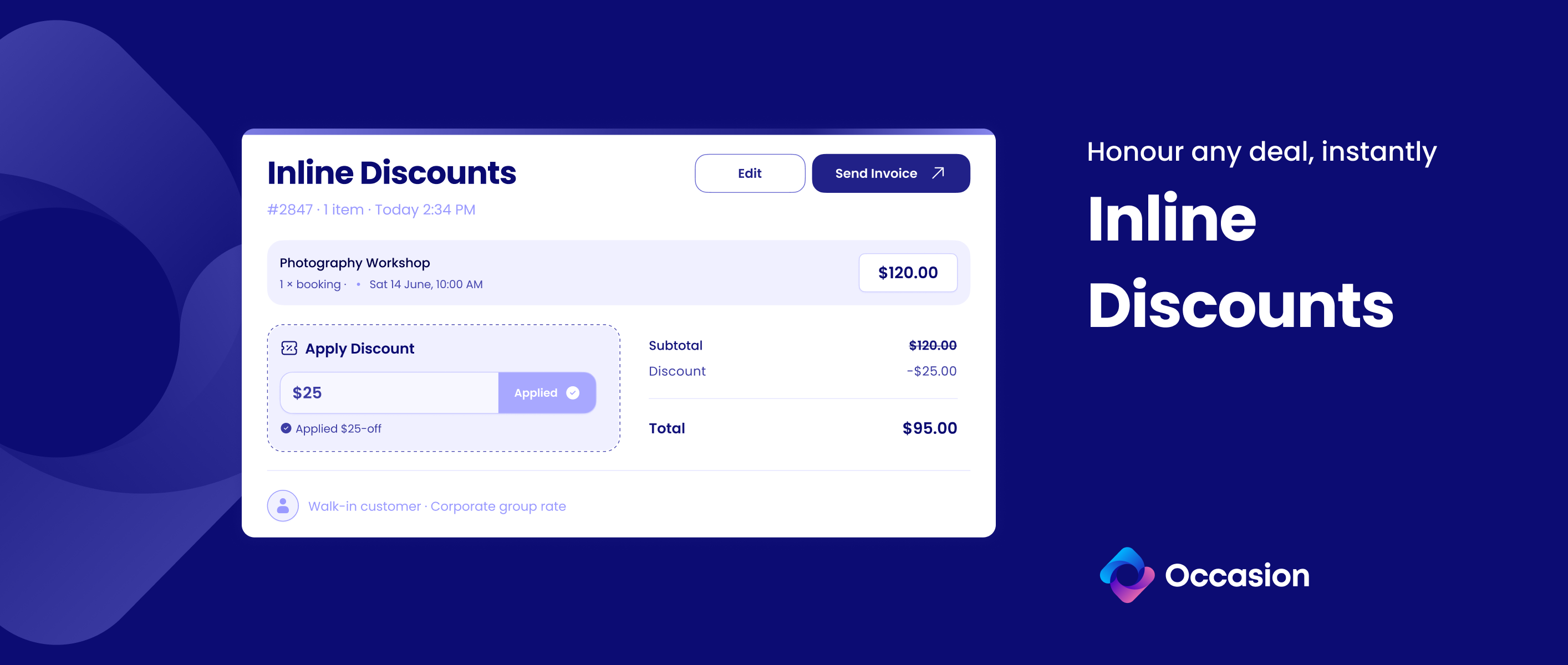
Now you just type in the discount amount, right there in the order. The customer sees a clean line item on their invoice showing exactly what they saved. And you move on with your day.
When this comes in handy
This isn't a replacement for coupon codes — those still make sense for promotions you plan ahead. This is for the moments that don't fit neatly into a system.
Like when a corporate client books 12 spots for a team cooking experience and you've agreed on a flat group rate over the phone. Or when a customer booked with a deposit and you want to adjust the final amount without touching the refund workflow. These are pricing conversations that happen between people — and now your software can keep up.
How it works
- On a new Quick Order — while building the order, enter any dollar amount as a discount. It updates the price summary instantly, taxes and all.
- On an existing booking — open the order, apply or change the discount inline. No extra page, no modal. If there's a deposit involved, you'll be prompted to handle the difference.
- Alongside a coupon — manual discounts stack with coupon codes. The system makes sure the combined discount never exceeds the order total.
Who it's for
Any merchant using Quick Order or managing bookings from the dashboard.
Getting started
- Youtube: https://www.youtube.com/watch?v=HUKxiYJEBXk
- Help Docs: https://help.getoccasion.com/article/1188-offering-inline-discounts
Keep reading


Occasion’s mission is to empower those who build happier communities.